
Video Live Wallpapers
ZipoAppsPersonalization
4.42.34K Reviews
- Version
- 4.0.4
- Installs
- 10.00M
- Age Rating
- Everyone
Screenshots
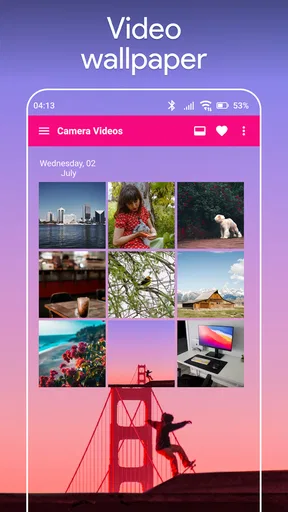
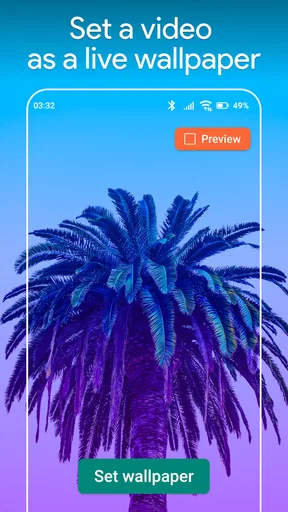
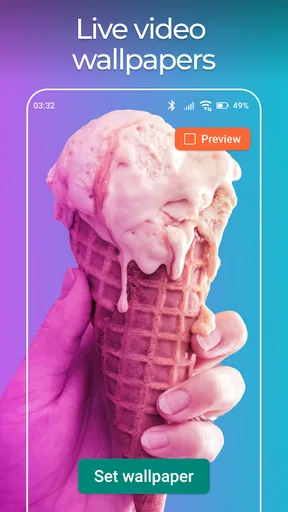
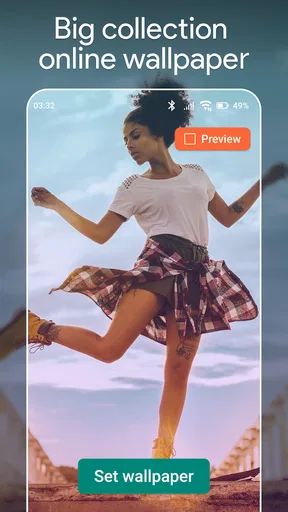
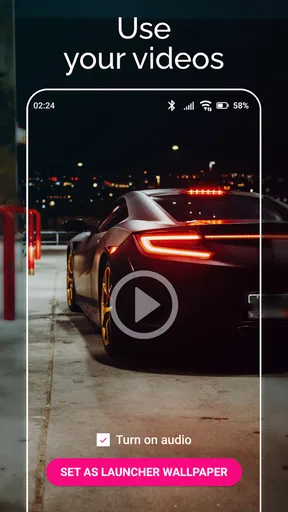
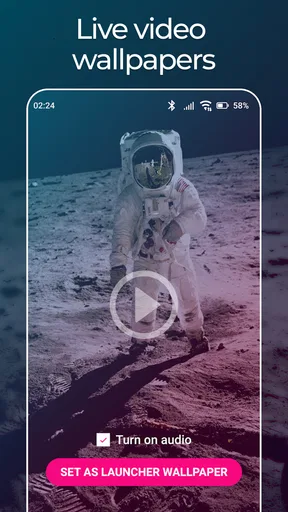
Our Review of Video Live Wallpapers
 Analysis by Appyee
When I want a phone background to feel more personal than a still image, a short video can make a noticeable difference. Video Live Wallpapers is built around that simple idea: use a video as the wallpaper rather than settling for a static picture. The appeal is easy to understand, but the useful question is whether that extra motion fits your daily routine and the way you use your phone.
Who will enjoy a moving background
I’d recommend this kind of personalization to someone who already has a small video they love: a pet doing something funny, waves from a favorite beach, or a calm clip from a trip. Instead of choosing a new image whenever the mood changes, you can put a personal moment where you’ll see it throughout the day. The app is a better fit for that purpose than a wallpaper collection focused mainly on browsing ready-made still images.
A practical example is choosing a quiet, short nature clip for the home screen before a busy week. It can make unlocking the phone feel a little less mechanical without asking you to change how you organize apps or use the device. I’d avoid clips with rapid cuts, bright flashes, or lots of movement: they can compete with icons and make the screen harder to scan. A subtle video often works better as wallpaper than the most dramatic footage in your gallery.
Choosing a clip that works on a phone
Before setting a video, I’d preview it with the home screen in mind, not just watch it full-screen. Check whether the main subject stays visible where app icons sit and whether the opening frame looks good when the screen first appears. A clip that looks lovely in a gallery can become cluttered under icons, so a simple composition and a steady subject are useful advantages.
There’s also a small but worthwhile editing habit: trim a clip to the part you actually want to see repeat, if your chosen workflow allows it. A long video may contain a great moment followed by an awkward transition; using a tighter segment can make looping feel intentional rather than like a repeated recording. Keep an original copy of anything important before experimenting, so a wallpaper choice never becomes a reason to alter a treasured video.
What to weigh against static wallpapers
Static wallpapers remain the better choice if you value a quiet screen, want the least possible visual distraction, or change backgrounds mainly to match colors and icons. A moving video gives you a personal, changing backdrop, but it may be less legible behind widgets and app labels. I’d choose a still image for a work-focused layout and save video wallpaper for a simpler home screen where the motion has room to breathe.
Battery use is another sensible trade-off to watch rather than assume away. Any moving background asks more of a phone than a still one, and the effect can vary with the clip and device. If you notice the battery dropping sooner than you like, try a shorter, less busy video or return to a static background. That gives you a straightforward way to decide whether the visual change is worth it on your own phone.
What is Video Live Wallpapers?
Alright, so let’s get down to business. Video Live Wallpapers is an app that allows you to set videos as live wallpapers on your Android or iOS device. Imagine your favorite movie scenes, personal video clips, or even mesmerizing animations playing right on your home screen. It’s like having a mini movie theater in your pocket!
Getting Started
First things first, downloading and setting up the app is a breeze. A quick hop onto the Google Play Store or App Store, and you’re ready to roll. Installation is as smooth as it gets, and you’re greeted with a clean, user-friendly interface that’s easy to navigate. No tech expertise required here!
Once you’re in, the app gives you the option to select videos from your own gallery or choose from a variety of pre-loaded options. It even supports a range of video formats, which is a nice touch. I tried out some clips from my recent vacation, and they look stunning as my wallpaper.
Customizing Your Experience
This app isn’t just a one-trick pony. You can adjust playback speed, volume, and even set the video to play only when the screen is active to save battery life. Pretty neat, right? Plus, it’s possible to loop the video or let it play through just once. There’s a delightful amount of customization here, making sure your wallpaper isn’t just a background but an expression of your personal style.
The Performance Factor
Now, you might be wondering about the app’s impact on performance. After all, running a video as your wallpaper sounds like it could drain your battery faster than a teenager on TikTok. But the developers have done a solid job optimizing the app. I found that while there's a slight increase in battery usage, it’s not significant enough to cause concern. My phone didn’t lag or overheat, which is always a win in my book.
Choosing it with care
Personalization is the main point here, and the right choice depends on how much motion you want in a screen you see repeatedly. The app is from ZipoApps and sits in the personalization category. It’s free to install, rated for Everyone, and has an average rating of 4.4 from around 368,000 ratings, with over 10 million installs. Those figures suggest it has reached a broad audience, though they can’t tell you whether a particular clip will suit your phone or habits.
The current version is 4.0.4, and the app has been available since April 10, 2018. Optional in-app purchases range from $0.99 to $149.99 per item, so I’d check the purchase screen carefully before confirming anything. The basic appeal is setting a video as wallpaper; if you only want to try that with your own clip, there’s no reason to treat optional purchases as necessary before you’ve explored the experience.
Trust and control in everyday use
For a wallpaper app, the sensitive moment is selecting a personal video. I’d choose a clip deliberately and pay attention to the access choices shown by the operating system rather than grant broader access casually. A short, non-sensitive clip is a sensible first test if you’re unsure how the selection process feels. That lets you see the result without beginning with private family footage or anything you would not want to use as a visible background.
I also wouldn’t assume that a moving wallpaper is private simply because it comes from my own gallery. The visible choice that matters most to me is which video I select and whether I keep using it. If the wallpaper no longer feels right, switch back to a still image; if you’re reviewing app access, use your device’s system settings to manage permissions. I prefer those concrete choices to guessing about data practices that aren’t apparent in normal use.
There are limits to what a review of the visible experience can establish about data handling, so I avoid making promises about it. My practical approach is to use only the access needed for the task, read any permission prompt before accepting it, and avoid selecting sensitive media unless I’m comfortable with that choice. If privacy is your top priority and you don’t need video backgrounds, a built-in static wallpaper is the simpler alternative.
Where it fits—and where it doesn’t
Compared with the usual static wallpaper options, this app is for people who want their own footage to do the decorating. That personal touch is its strongest reason to try it. It is less compelling if you prefer a ready-made gallery of polished still designs, want a completely motion-free screen, or rely on a busy home screen where moving imagery would get in the way. In those cases, your phone’s built-in wallpaper picker may be enough.
For a low-risk trial, I’d start with a short clip that has calm movement, set it as the background, and use the phone normally for a day. Notice whether icons remain easy to read, whether the motion feels pleasant after repeated unlocks, and whether battery use changes in a way you care about. If the answer is no, the feature may be more novelty than daily improvement for you; if it makes a favorite moment part of your routine, it has earned its place.
Why It Stands Out
What really makes Video Live Wallpapers stand out is its ability to transform a mundane phone screen into something dynamic and personal. Whether you want to show off a killer moment from a family video or keep a serene nature scene looping quietly, the possibilities are endless. It’s a fantastic way to add a personal touch to your device.
Final Thoughts
To wrap things up, if you’re looking to add a bit of life to your phone’s display, I’d say give Video Live Wallpapers a shot. The app is intuitive, offers a good range of features, and doesn't compromise on performance. Plus, who doesn’t love a little extra flair on their home screen?
So, go ahead and give it a download. Your phone deserves to be as lively and engaging as you are!
Verdict
Strengths of Video Live Wallpapers
- Customizable video length settings.
- Supports 4K video quality.
- Easy-to-use interface.
- Minimal battery usage.
- Wide range of video formats.
Limitations of Video Live Wallpapers
- Limited free video options.
- Ads can be intrusive.
- Requires internet for some features.
- Occasional app crashes.
- No offline video download.
Other Releases by ZipoApps
View All
Screen Mirroring - Cast to TV
Video Players & Editors4.3

Cut and Paste Photos
Photography4.6

Edge Lighting - Borderlight
Personalization4.8

Widgets OS 18 - Color Widgets
Personalization4.7
Similar Picks in This Category
View All
Microsoft SwiftKey AI Keyboard
SwiftKey4.3

Wallpapers
Google LLC4.1

Zedge™ Wallpapers & Ringtones
Zedge4.7

Yandex Browser with Alice AI
Direct Cursus Computer Systems Trading LLC4.3

Ringtone Maker:create ringtone
Big Bang Inc.4.7

Fonts Keyboard
Fonts Keyboard3.9
Frequently Asked Questions
What are Video Live Wallpapers and how do they work?
Video Live Wallpapers are dynamic backgrounds that animate your device’s home or lock screen using video clips. Unlike static images, these wallpapers bring your screen to life with motion. To use them, you typically select a video from your gallery or download one from the app's library, then set it as your wallpaper through the app’s interface.
Will using Video Live Wallpapers drain my battery faster?
Yes, Video Live Wallpapers can consume more battery compared to static images because they require additional processing power to display the moving images. However, many apps optimize the video playback to minimize battery usage, and some even offer settings to adjust the frame rate or resolution to further conserve power.
Can I use my own videos as live wallpapers?
Most Video Live Wallpaper apps allow you to upload and use your own videos. You can typically select a video from your device's gallery and customize it by trimming or looping specific segments. This feature gives users the flexibility to personalize their home screen with videos that have personal significance.
Are Video Live Wallpaper apps compatible with all devices?
While many Video Live Wallpaper apps are designed to be compatible with a wide range of Android and iOS devices, some older or lower-spec models may not support them due to hardware limitations. It’s important to check the app’s compatibility requirements on the app store before downloading to ensure your device can handle the functionality.
Is there a limit to the video size or length for live wallpapers?
Yes, most apps impose limits on the video size and length to ensure smooth performance. Large or lengthy videos can cause lag or excessive battery drain. Typically, apps will recommend keeping videos under a certain length, often around 30 seconds, and suggest resolutions that are compatible with your device's screen.
